
Have you ever dreamed of wielding a lightsaber, commanding a starship, or unleashing the power of the Force in your own videos? For decades, the Star Wars saga has inspired fans to imagine their own galactic adventures. While professional visual effects were once out of reach for most, the rise of accessible tools has changed the game. Yet, many creators still struggle to find reliable information on Star Wars movie FX maker codes, often hitting dead ends with outdated apps and broken links. What if you could finally unlock the secrets to creating those iconic cinematic moments?
This guide is designed to be the definitive resource for both aspiring and experienced creators. We will demystify what these FX codes are, how they evolved from a toy-based QR system to a broader concept in modern editing, and why most of the original codes no longer work. More importantly, we will provide you with the knowledge and tools to move beyond the limitations of the old app.
Here, you will find a complete, step-by-step workflow for creating professional-grade Star Wars effects using today’s leading software. We will compare the best platforms, share actionable best practices, and provide a comprehensive FAQ section to answer all your questions. By the end of this article, you will have the expertise to bring your Star Wars vision to life with stunning, high-quality visual effects.
What Are Star Wars FX Maker Codes?
The term Star Wars movie FX maker codes primarily refers to a system developed by Hasbro for its Star Wars Studio FX app, which was designed as a companion to its line of action figures. Instead of complex text-based cheat codes, this system used QR codes printed on toy packaging. When scanned within the app, these QR codes would unlock specific digital effects—such as lightsaber glows, blaster fire, and Force lightning—that could be overlaid onto videos recorded with a smartphone.
The app was a brilliant marketing tool that successfully bridged the gap between physical toys and digital creativity. It allowed fans, especially younger ones, to easily recreate famous scenes from the movies without needing any technical video editing skills. The concept was simple: film your action figures, scan a code, and add a layer of cinematic magic. This accessibility is a major reason why the app is still remembered so fondly and why searches for the codes persist.
However, as with many promotional apps tied to product cycles, the Star Wars Studio FX app is no longer officially supported. It has been removed from app stores, and the backend services that validated the QR codes have been decommissioned. Consequently, most of the original QR codes found online are now effectively useless. The legacy of this system, however, lives on. The term has evolved to encompass a broader range of presets, plugins, and templates used in modern video editing software to achieve similar Star Wars-inspired effects. This guide will focus on these contemporary solutions, providing a clear path for creators in a post-app world.
Understanding FX Code Categories and Functions
In modern video editing, the concept of “codes” has expanded beyond simple QR unlocks. Today, they represent a variety of digital assets and presets that trigger specific visual or auditory effects. Understanding these categories is the first step toward mastering a professional FX workflow. These tools are designed to streamline complex processes, allowing creators to achieve high-quality results with greater efficiency.
Visual Effects Identifiers
Visual effect identifiers are the most common type of FX asset. They are pre-configured settings or plugins that generate iconic on-screen elements. Instead of building an effect from scratch, which could take hours, you can apply a preset and then fine-tune its parameters. This approach offers a balance of speed and creative control.
Key visual effects include:
- Lightsaber Glows: Realistic energy blade effects with customizable colors, core stability, and motion blur.
- Blaster Bolts: Directional laser fire with impact sparks and ricochet effects.
- Force Powers: Visuals for Force push, pull, and lightning, often involving particle systems and distortion.
- Explosions and Debris: Pre-rendered explosions for starship battles or environmental destruction.
- Hologram Projections: Glitchy, semi-transparent overlays to simulate holographic communications.
Audio Effect Triggers
Sound is just as crucial as visuals for creating an immersive Star Wars experience. Audio effect triggers are sound files or presets that replicate the unforgettable sounds of the galaxy. High-quality sound design can elevate a simple video into a cinematic masterpiece. These triggers are often synchronized with visual effects for maximum impact.
Essential audio effects include:
- Lightsaber Sounds: The iconic ignition hum, swings, clashes, and deactivation sounds.
- Blaster Fire: A variety of laser blast sounds for different types of weapons.
- Starship Engines: The roar of a TIE Fighter, the hum of an X-Wing, or the jump to hyperspace.
- Character and Droid Voices: Vocal effects for characters like Darth Vader or droids like R2-D2.
Feature Unlock Mechanisms
While the original app used QR codes to unlock features, modern software platforms have different mechanisms. These are often tied to subscriptions, one-time purchases, or community contributions. Understanding how to legally access premium features is vital for any serious creator. Using unauthorized unlock methods can lead to software bans or legal complications.
| Feature Type | Unlock Method | Common Platforms | Notes |
|---|---|---|---|
| Premium FX Libraries | Subscription or Purchase | Adobe After Effects (Plugins), Final Cut Pro (Plugins) | Provides access to professionally designed, high-resolution effects. |
| Advanced Editing Tools | Software Version Upgrade | DaVinci Resolve Studio, Adobe Creative Cloud | Unlocks features like advanced color grading, AI-powered tools, and higher export resolutions. |
| Community-Made Presets | Free Download or Community Forums | Reddit (r/vfx), YouTube Tutorials, GitHub | Quality can vary, but many excellent free resources are available. Always check licensing. |
| Exclusive Content Packs | Special Promotions or Bundles | Video Copilot, ActionVFX | Often offered as part of a larger asset bundle or during promotional events. |
By leveraging these different categories of FX tools, you can build a powerful and flexible workflow tailored to your specific creative needs.
Step-by-Step Guide to Using Star Wars FX Maker Codes
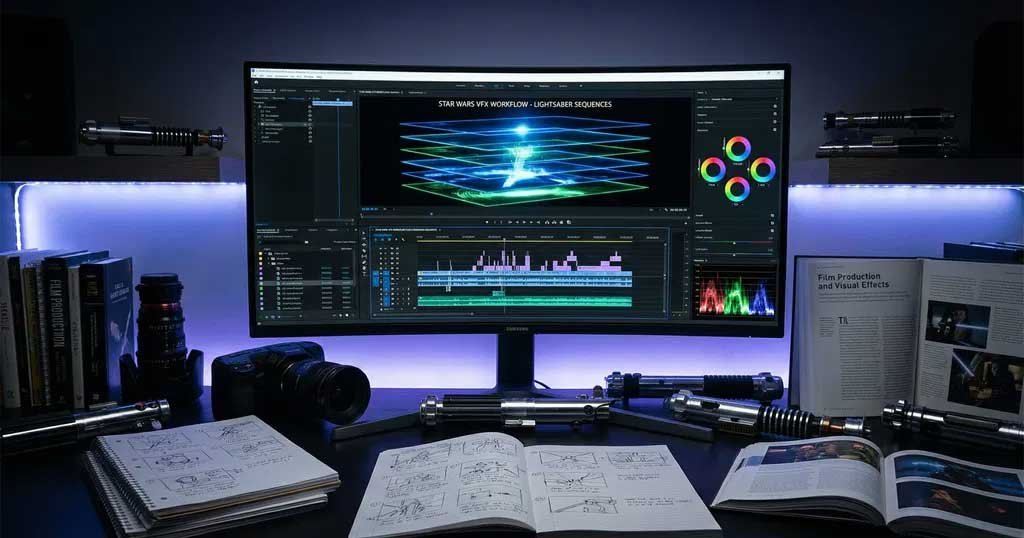
While the original Star Wars Studio FX app is a thing of the past, creating stunning Star Wars effects is more accessible than ever. This section provides a comprehensive, step-by-step guide to achieving professional results using modern video editing software. We will use Adobe After Effects as our primary example due to its industry-standard status, but the principles can be applied to other platforms like DaVinci Resolve, Final Cut Pro, or even capable free software like HitFilm.
Getting Started: Setting Up Your Project
Before you can start adding effects, you need a solid foundation. Proper project setup is crucial for an efficient workflow.
- Choose Your Software: If you are new to VFX, consider starting with a free tool like HitFilm or the free version of DaVinci Resolve. For those committed to professional results, Adobe After Effects is the top choice.
- Film Your Footage: Record your video with the final effects in mind. Use a tripod for static shots to make tracking easier. If you are filming a lightsaber duel, have the actors use prop hilts so you have a physical reference for the blade.
- Organize Your Files: Create a dedicated project folder with subfolders for footage, audio, and exported files. This will save you a lot of headaches later.
- Create a New Composition: Import your footage into your chosen software and create a new composition or timeline that matches the resolution and frame rate of your video.
Accessing and Applying FX Presets
Instead of QR codes, modern workflows use presets and plugins. One of the most popular and powerful plugins for Star Wars effects is Video Copilot’s Saber, which is available for free.
- Download and Install the Saber Plugin: Visit the Video Copilot website and download the free Saber plugin. Follow the installation instructions for your operating system.
- Apply the Saber Effect:
- Create a new solid layer in your After Effects composition (
Layer > New > Solid). - With the solid layer selected, go to the Effects & Presets panel and search for “Saber”.
- Drag the Saber effect onto your solid layer.
- Create a new solid layer in your After Effects composition (
- Customize the Effect: In the Effect Controls panel, you will see a wide range of options. You can choose from presets like “Arc Reactor” or “The Force” to get started, then customize the following:
- Color: Set the color of your lightsaber (e.g., blue for a Jedi, red for a Sith).
- Glow Intensity: Adjust how bright the blade appears.
- Core Size: Define the thickness of the white-hot center of the blade.
Creating Your First Scene: A Lightsaber Duel
Let’s apply these concepts to create a classic lightsaber duel.
- Track the Hilt: To make the lightsaber blade follow the prop hilt in your footage, you need to track its movement. In After Effects, you can do this manually with keyframes or automatically with motion tracking.
- On your Saber solid layer, find the “Customize Core” settings.
- Set the “Core Type” to “Layer Masks”.
- Use the Pen tool to draw a simple line mask from the base of the hilt to the tip.
- Go frame by frame and adjust the mask’s position to match the movement of the hilt. This process is called rotoscoping.
- Animate the Saber: For a more dynamic effect, animate the Saber’s properties. For example, you can keyframe the “Start Offset” and “End Offset” to create the effect of the blade igniting and retracting.
- Add Sound Effects: The visual is only half the battle. Import lightsaber sound effects (hums, swings, and clashes) and synchronize them with the on-screen action. Place the clash sounds precisely where the blades make contact.
Advanced Techniques for Realistic Effects
To elevate your scene from amateur to professional, incorporate these advanced techniques.
- Reflections and Environmental Lighting: A glowing lightsaber should cast light on its surroundings. Create adjustment layers with a soft, colored glow and mask them to appear on the characters and environment near the blade. This small detail adds a huge amount of realism.
- Motion Blur: Fast-moving objects should have motion blur. Ensure that the motion blur switch is enabled for your Saber layer and composition to make the lightsaber movements look more natural.
- Camera Shake: Add a subtle camera shake during impacts, such as when lightsabers clash, to enhance the sense of power and action. You can do this with a simple wiggle expression in After Effects or by using a dedicated camera shake preset.
Comparing FX Maker Platforms: Which Tool Is Right for You?
Choosing the right software is critical for your success as a creator. The best platform for you will depend on your skill level, budget, and project goals. This section provides a detailed comparison of the leading software options for creating Star-Wars-style visual effects.
| Platform | Skill Level | Key Strength | Ideal Use Case | Cost | Learning Curve |
|---|---|---|---|---|---|
| Adobe After Effects | Professional | Unmatched Power & Flexibility | Feature films, professional fan films, complex VFX shots | Subscription (Creative Cloud) | Steep |
| DaVinci Resolve | Intermediate to Pro | All-in-One Solution (Editing, Color, VFX, Audio) | Independent filmmakers, creators wanting an integrated workflow | Free version available; Studio version is a one-time purchase | Moderate |
| HitFilm | Beginner to Intermediate | User-Friendly Interface & Great Free Version | YouTube creators, students, hobbyists | Free version available; Pro version is a subscription or perpetual license | Gentle |
| Blender | Advanced to Pro | Powerful 3D Capabilities & Open-Source | 3D modeling, complex environmental effects, advanced simulations | Free | Very Steep |
| Video Copilot Saber | Beginner to Pro | Best-in-Class Lightsaber Effects | Anyone using After Effects needing top-tier lightsaber effects | Free (Plugin for After Effects) | Easy |
For the Professional: Adobe After Effects
After Effects is the undisputed king of motion graphics and visual effects. Its vast toolset, extensive third-party plugin support (including the essential Saber plugin), and seamless integration with other Adobe Creative Cloud apps make it the top choice for professionals. If you are aiming for cinematic quality and have the time to invest in learning, After Effects will give you limitless creative freedom.
For the All-in-One Creator: DaVinci Resolve
DaVinci Resolve has rapidly evolved from a color grading tool into a full-fledged post-production suite. Its Fusion page offers a powerful node-based compositing environment that is more than capable of creating stunning Star Wars effects. The free version is incredibly generous, making it the best value proposition on the market. It is an excellent choice for creators who want a single application for editing, color grading, visual effects, and audio.
For the Beginner: HitFilm
HitFilm (from FXhome) is designed to be an accessible yet powerful video editing and VFX software. Its user-friendly interface and large library of tutorials make it the perfect starting point for beginners. The free version includes a solid set of tools for creating basic lightsaber and blaster effects, while the Pro version unlocks more advanced features. If you are just starting your journey into visual effects, HitFilm is an outstanding choice.
Professional Workflow and Best Practices
Creating high-quality visual effects is not just about knowing how to use the tools; it is also about following a structured workflow. A professional process ensures consistency, saves time, and leads to a more polished final product. Here are the best practices to follow, broken down into three key stages of production.
1. Pre-Production: Plan Your Vision
Before you even press the record button, you should have a clear plan. This is the most crucial phase for ensuring a smooth production.
- Storyboard Your Scenes: Sketch out your shots. This does not have to be a work of art; simple stick figures will do. A storyboard helps you visualize the final sequence and plan your camera angles and actor movements.
- Choose Your Effects Wisely: Decide which effects are essential to your story. Overloading a scene with too many effects can look chaotic and unprofessional. Focus on a few well-executed effects that serve the narrative.
- Gather Your Assets: Collect all the digital assets you will need before you start editing. This includes sound effects, music, background plates, and any pre-made visual effect elements.
2. Production: Film for the Edit
How you film your footage has a massive impact on the final quality of your visual effects. Always shoot with the post-production process in mind.
- Use Prop References: For effects like lightsabers, have actors use physical prop hilts. This gives you a tangible object to track in post-production, making the rotoscoping process much more accurate.
- Mind Your Lighting: Try to match the on-set lighting to the effects you plan to add. If you are adding a glowing lightsaber, the scene should be lit accordingly. Use practical lights on set to simulate the glow on characters and the environment.
- Shoot in High Quality: Record your footage at the highest resolution and quality settings your camera allows. This will give you more flexibility in post-production for scaling, tracking, and color grading.
3. Post-Production: The Digital Magic
This is where your vision comes to life. A methodical approach to post-production is key to achieving a polished look.
- Work in Passes: Do not try to do everything at once. Build your effects in layers. Start with the primary effect (e.g., the lightsaber blade), then add secondary effects (e.g., glow and environmental lighting), and finally, tertiary details (e.g., motion blur and camera shake).
- Color Grade for Cohesion: Color grading is the secret sauce that ties everything together. After all your effects are in place, apply a consistent color grade to your entire sequence to ensure that the footage and the effects feel like they belong in the same world.
- Render and Review: Export your final video and watch it on different devices. This will help you catch any errors or artifacts that you might have missed on your editing monitor. Do not be afraid to go back and make tweaks.
Ethical and Legal Considerations
Creating fan content exists in a legal gray area, and it is essential for creators to understand the ethical and legal boundaries. While Lucasfilm and Disney have historically been supportive of fan films, this support is contingent on creators following certain rules. Ignoring copyright and intellectual property laws can lead to legal trouble and damage your reputation as a creator.
First and foremost, you cannot commercialize your fan film. This means you cannot sell it, run paid ads on it, or use it to promote a product or service. The moment you profit from Disney’s intellectual property, you cross a clear legal line. Crowdfunding campaigns are also tricky; while you can raise funds to cover production costs, you cannot pay yourself or make a profit.
Second, be transparent that your work is a fan creation. You must include a disclaimer in your video and its description stating that your project is a non-profit fan film and is not affiliated with or endorsed by Lucasfilm or Disney. This helps avoid any confusion and shows respect for the official brand.
Finally, be mindful of the assets you use. While using Star Wars-themed visual effects is generally accepted for fan films, distributing or selling copyrighted assets (like sound effects ripped directly from the movies or paid plugins you did not purchase) is illegal. Always use legally obtained sound effects and software. Respecting these guidelines is not just about avoiding legal action; it is about being a responsible member of the creative community and ensuring that fan creations can continue to thrive.
Frequently Asked Questions
- 1. Do the original Star Wars Movie FX Maker codes still work?
- No, the vast majority of the original QR codes no longer work. The official *Star Wars Studio FX* app has been discontinued and is no longer supported, so the system for validating these codes is offline.
- 2. How can I get Star Wars FX maker codes today?
- The modern equivalent of “codes” are presets, plugins, and templates for video editing software. You can get them from various sources, including free plugin providers like Video Copilot (for their Saber plugin), paid asset marketplaces, and community forums.
- 3. Are the QR codes reusable?
- When the app was active, the QR codes were reusable. However, since the app is no longer functional, their reusability is irrelevant.
- 4. Do I need to buy the original toys to get the effects?
- No. Since the original app is defunct, owning the toys no longer provides any digital benefit. All modern effects are achieved through software and plugins, independent of the toys.
- 5. Is the software for creating these effects free?
- It can be. Powerful free options like DaVinci Resolve, HitFilm, and Blender are more than capable of creating great effects. For professional-grade tools, software like Adobe After Effects requires a subscription.
- 6. What devices are supported for modern FX creation?
- Modern visual effects creation is primarily done on desktop computers (Windows and macOS) due to the high processing power required. While some mobile apps offer basic effects, they cannot match the quality and control of desktop software.
- 7. How do I fix issues with effects not looking realistic?
- Realism comes from details. Focus on adding environmental lighting, reflections, motion blur, and camera shake. Also, ensure your sound design is perfectly synchronized with the visuals.
- 8. Can I use my creations for commercial purposes?
- No. Any content using Star Wars intellectual property (including visuals and sounds) cannot be used for commercial purposes. Fan films must be non-profit.
- 9. What are the best alternative tools to the original app?
- The best alternatives are professional video editing software like Adobe After Effects (with the Saber plugin), DaVinci Resolve, and HitFilm. These offer far more power and flexibility than the original app ever did.
- 10. How do I export my final video?
- All standard video editing software has robust export features. The most common format for online sharing is H.264 (.mp4) at a resolution of 1080p or 4K.
- 11. How good is the quality of the effects I can create?
- With modern tools and enough practice, you can create effects that are virtually indistinguishable from those in professional films. The quality is limited only by your skill and dedication.
- 12. Do I need prior video editing experience?
- While prior experience helps, it is not strictly necessary. Platforms like HitFilm are very beginner-friendly, and there are countless free tutorials on YouTube to guide you through every step of the process.
- 13. How can I achieve the best lightsaber effect?
- Use the free Saber plugin from Video Copilot for After Effects. It is widely considered the best tool for creating realistic and highly customizable lightsaber effects.
- 14. Are there official tutorials for creating these effects?
- While there are no official tutorials from Lucasfilm for creating fan effects, there is a massive community of creators on YouTube who produce high-quality, in-depth tutorials for every Star Wars effect imaginable.
- 15. Will the original app ever be updated or brought back?
- It is highly unlikely. The app was a promotional tool for a specific toy line, and its product cycle has long since ended. The future of Star Wars fan creations lies in modern, professional-grade editing software.
Recommended Resources and Tools
To help you on your journey to becoming a master FX creator, we have compiled a list of essential resources and tools. These links will provide you with everything you need, from software and plugins to tutorials and community support.
Core Software and Plugins
- Adobe After Effects: The industry standard for motion graphics and visual effects.
- DaVinci Resolve: A powerful all-in-one solution for editing, color, VFX, and audio.
- HitFilm: A user-friendly and powerful free editor with great VFX tools.
- Video Copilot Saber Plugin: The essential free plugin for creating top-tier lightsaber effects in After Effects.
Tutorial and Learning Resources
- Video Copilot: An incredible resource for high-quality After Effects tutorials, including many focused on sci-fi and Star Wars-style effects.
- [YouTube: Channels like ProductionCrate, Film Riot, and ActionVFX offer countless tutorials on creating specific visual effects, from blaster fire to starship battles.
Community and Support
- Reddit (r/vfx): A large and active community of VFX artists and hobbyists. It is a great place to ask questions, get feedback, and see what others are creating.
- The Official Star Wars Fan Film Awards: Check out the official guidelines and see what award-winning fan films look like. It is a great source of inspiration and a good benchmark for quality.
Conclusion and Next Steps
While the era of the original Star Wars movie FX maker codes and the Studio FX app has passed, the spirit of fan creation is stronger than ever. The journey from a simple QR code system to the powerful desktop software we have today has democratized cinematic storytelling, putting professional-grade tools into the hands of any dedicated creator. We have explored what these codes were, why they no longer function, and, most importantly, how to achieve far superior results with modern techniques.
You now have a complete roadmap to success. You understand the essential categories of FX tools, have a step-by-step guide for creating your first scene, know how to choose the right platform, and are equipped with a professional workflow and best practices. The path to creating breathtaking Star Wars content is no longer a secret; it is a skill you can learn and master.
Your next step is to take action. Choose a piece of software, download the necessary plugins and assets, and start experimenting. Create your first lightsaber ignition, your first blaster deflect, your first jump to hyperspace. The galaxy is waiting for your story. We invite you to share your creations and questions in the comments below—may the Force be with you!

Most Viewed