There are a lot of AI presentation tools now, but many of them have the same problem: they can make slides fast, yet the result still feels like a draft. The layout may look polished, but the structure often needs work before you can use it in a real meeting.
Dokie AI tries to solve that problem from a different angle. Instead of focusing only on speed or visual flair, it positions itself as an AI presentation maker that creates professional, brand-aligned slides with clean layouts and a more practical flow. That makes it especially relevant for business decks, internal reports, strategy presentations, and client-facing materials.
What Is Dokie AI?
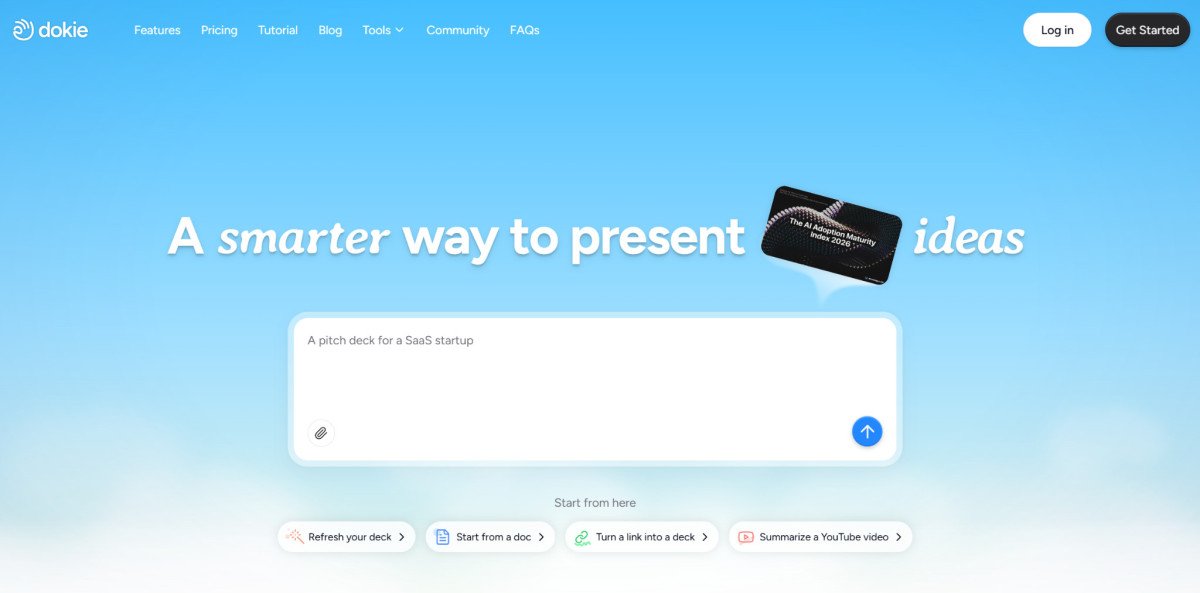
Dokie AI is an AI presentation maker and slides generator built around faster presentation creation for real work. On its official site, the product emphasizes professional slide generation and editing, not just one-click drafting. Its pricing page also frames it as a tool for individuals and teams that want to create clear, structured presentations faster.
One useful thing about Dokie is that it is not only a prompt-to-deck tool. Its tools hub shows a broader conversion workflow, including PDF to Slides, Word to Slides, Excel to Slides, JPG to Slides, PNG to Slides, HTML to Slides, and DOC to Slides. That gives it more practical value for users who often start from files, notes, or existing materials rather than from a blank prompt.
Dokie also recently added a Social Carousel feature and announced improvements to its core AI presentation maker with a stronger focus on practical, real-world use. That suggests the product is moving beyond standard deck generation into adjacent presentation-style content workflows.
What Dokie AI Does Well
The biggest strength of Dokie AI is that it appears built for PPT-style business use, not just visual demos. Based on its official positioning and how it is described across its product and supporting pages, Dokie is trying to generate slides that feel more usable out of the box, especially for structured decks.
That matters because business decks usually need a clear flow: overview, context, data, insight, conclusion, next steps. Many AI slide tools can generate attractive pages, but still leave users with too much cleanup. Dokie’s pitch is that the deck should already feel close to a normal presentation workflow instead of a design experiment. That is partly the company’s own framing, but it aligns with the type of user Dokie is targeting.
Another advantage is breadth. A lot of AI presentation tools focus only on topic-to-slides generation. Dokie appears to support multiple starting points through its tools hub, which is helpful for work use cases where the source material already exists in documents, spreadsheets, screenshots, or webpages.
Its pricing page also shows team and individual plans, plus enterprise support, which suggests it is designed not only for casual use but also for heavier professional workflows.
Where Dokie AI Feels Most Useful
Dokie AI looks strongest in business-heavy scenarios such as:
- weekly reports
- strategy decks
- internal updates
- client presentations
- summary decks built from existing files
That is because its value proposition is less about “look how creative this AI design is” and more about “can this help me get to a usable presentation faster?” The recent product update explicitly emphasized more practical output and easier real-world use, which reinforces that direction.
If your main goal is to turn messy notes or source documents into a deck that feels closer to meeting-ready, Dokie makes sense. If your main goal is highly interactive storytelling or visually experimental presentations, other tools may suit you better. That second point is an inference from Dokie’s product positioning rather than a direct product claim.
Pros
- Built around professional, brand-aligned slide generation rather than casual visual content.
- Better fit for business-style presentations where structure matters. This is an inference supported by Dokie’s official positioning and recent product messaging.
- Supports a broad set of conversion-style tools, including PDF, Word, Excel, JPG, PNG, HTML, and DOC to Slides.
- Recently expanded with Social Carousel, which adds more flexibility for presentation-adjacent content creation.
- Has pricing tiers for both individuals and teams, plus enterprise options.
Cons
- Dokie is still less well known than major names like Canva or Gamma, so it has less market familiarity. This is an inference based on public visibility rather than a direct product statement.
- Its strongest appeal is practical slide generation, which may be less exciting for users who want highly artistic or experimental deck design. This is an inference from its product positioning.
- Some of the strongest claims around “business-ready” output come from Dokie’s own ecosystem and brand materials, so users should still test it against their own deck standards before relying on it for high-stakes presentations.
Is Dokie AI Better Than Other AI Presentation Makers?
That depends on what you need.
If you want a tool for modern, link-based, web-style presentations, Gamma may feel more native to that format. If you want a broader design ecosystem, Canva may be more flexible. If you want to stay fully inside Google Slides or PowerPoint, tools like Plus AI may fit your workflow better. But if your priority is getting a deck that feels closer to a real business presentation with less restructuring, Dokie AI has a clear angle. That comparison is partly an inference, but it is grounded in the way Dokie positions itself and in how its product pages emphasize professional, practical slide creation.
In other words, Dokie is not trying to win by being the most decorative AI slides generator. It is trying to win by being more usable for work.
Who Should Use Dokie AI?
Dokie AI is a good choice for:
- marketers building reports and strategy decks
- consultants making client presentations
- teams turning existing files into slides
- users who want a more PPT-friendly result
- professionals who care more about structure than novelty
It may be a weaker fit for:
- users who want highly interactive storytelling slides
- people who mainly care about experimental design
- users who already have a deeply embedded workflow in another presentation platform
Final Verdict
Dokie AI is a solid AI presentation maker for business users. Its main strength is not that it produces the flashiest slides. Its strength is that it appears designed to create more practical, structured, and usable presentations for real work. The added conversion tools also make it more flexible than a simple prompt-to-slide generator.
If you often create reports, strategy decks, or client presentations, Dokie AI is worth considering. It is especially appealing when your standard for a good AI deck is not “looks impressive in a demo,” but “saves me time before an actual meeting.”

Most Viewed