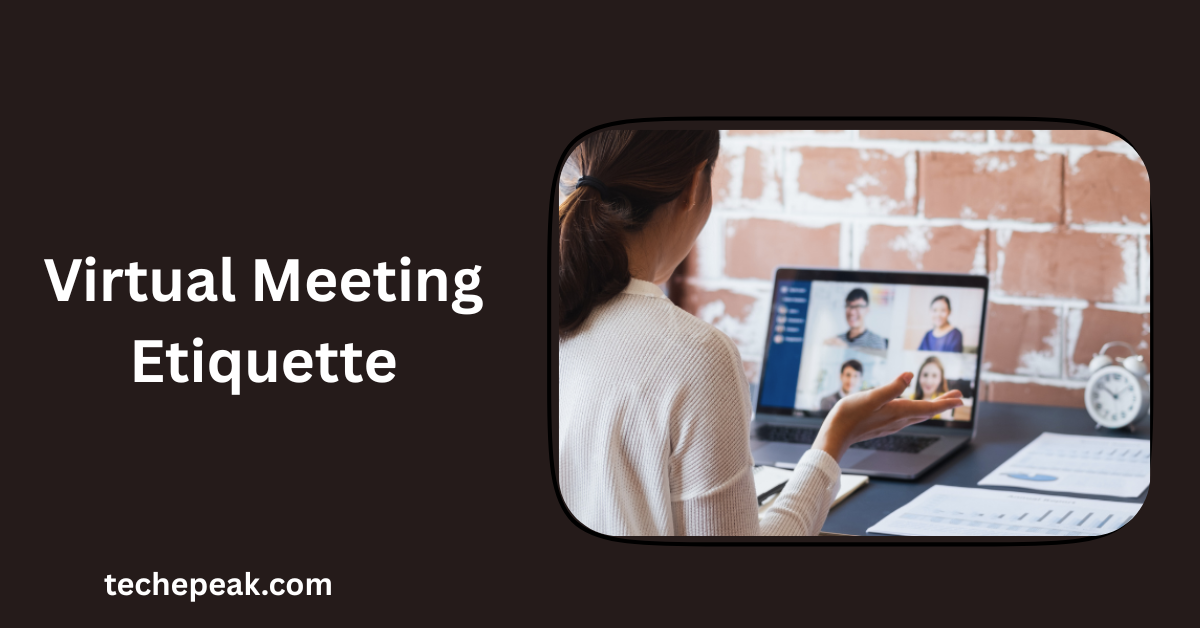

Virtual meetings have become a central part of modern work culture, connecting teams across cities, countries, and even continents. Understanding virtual meeting etiquette is essential for maintaining professionalism, ensuring productivity, and fostering effective communication. Neglecting proper online behavior can cause misunderstandings, wasted time, and a poor impression among colleagues and clients. By mastering this etiquette, you can actively contribute to meetings and leave a strong professional impression.
| Aspect | Key Point | Example |
|---|---|---|
| Punctuality | Join meetings on time | Logging in 5 minutes early |
| Audio/Video | Test equipment before meetings | Check mic and camera settings |
| Appearance | Dress professionally | Business casual attire even at home |
| Engagement | Participate actively | Use chat, reactions, or speak clearly |
| Follow-up | Send summary or action items | Email with key decisions and deadlines |
Table of Contents
ToggleUnderstanding the Importance of Virtual Meeting Etiquette
Why Virtual Meetings Require a New Set of Rules
Virtual meetings are fundamentally different from face-to-face interactions. Lag, overlapping voices, and technical difficulties can easily disrupt communication if proper etiquette is not followed. Participants who fail to observe online norms may appear distracted, disrespectful, or unprepared. Learning the unique rules of virtual meetings helps you communicate more effectively and avoid common pitfalls that can derail discussions.
How Etiquette Impacts Productivity and Professional Image
Following proper virtual meeting etiquette improves both efficiency and perception. Teams that respect these norms often complete tasks faster, make better decisions, and build stronger professional relationships. For example, a remote marketing team implemented clear rules for muting, raising hands, and using chat features. Within two months, meeting duration decreased by 20%, while decision-making efficiency increased by 30%. Such outcomes show that etiquette directly impacts productivity and credibility.
Preparing for a Virtual Meeting
Test Your Technology in Advance
Technical issues are the most common source of disruptions in virtual meetings. Testing your microphone, speakers, camera, and internet connection ahead of time ensures that you can contribute effectively. Updating your meeting software also prevents unexpected glitches that can waste time or cause confusion. As a backup, having a phone dial-in option or an alternative platform ready is a smart precaution.
Choose an Appropriate Environment
Your surroundings play a significant role in how others perceive you during online meetings. A quiet, well-lit space minimizes distractions and maintains professionalism. Choosing a neutral or branded background can enhance your appearance, and informing others in your home to avoid interruptions ensures your focus stays on the meeting.
Dress and Appearance Matter
Even when attending a meeting from home, your attire influences perception. Dressing professionally signals respect for others and conveys that you take the meeting seriously. Business casual attire is usually sufficient, but your camera should capture your face and upper body clearly. Maintaining good posture further demonstrates attentiveness and engagement.
Communication Etiquette During the Meeting
Be Punctual and Respect Time
Arriving on time is a critical part of virtual meeting etiquette. Being late can disrupt the flow of discussion and reflect poorly on your professionalism. Joining five minutes early gives you time to resolve technical issues, while following the agenda ensures that the meeting stays on track.
Use Mute Strategically
Background noise can distract participants and reduce overall meeting effectiveness. Muting your microphone when not speaking helps maintain clarity. However, forgetting to unmute when contributing can cause confusion or delays. Using this etiquette skillfully ensures smoother conversations and fewer interruptions.
Active Participation Without Interrupting
Participating actively while respecting others’ speaking time is key. Waiting for your turn and using chat features or the “raise hand” function keeps discussions organized. Teams that implement these rules report faster decision-making and less frustration during meetings. For example, a project team encouraged participants to write questions in chat during presentations, which were addressed after the main discussion. This prevented constant interruptions while still promoting engagement.
Tone, Clarity, and Body Language
Even in virtual settings, non-verbal communication matters. Speaking clearly, maintaining eye contact with the camera, and using gestures or facial expressions shows attentiveness. Avoid distractions like checking your phone and remember to enunciate properly to reduce misunderstandings. Subtle nods or smiles can reassure speakers that you are actively engaged.
Managing Professionalism and Etiquette Online
Avoid Multitasking
Multitasking during virtual meetings can be detrimental. Checking emails or working on unrelated tasks reduces focus and may result in missed information. For instance, an employee who responded to emails during a client call missed critical instructions, causing project delays. Maintaining focus on the meeting is essential for professional communication.
Respect Confidentiality
Virtual meetings often involve sensitive information, making confidentiality crucial. Recording without consent or sharing confidential data can damage trust and create compliance issues. Use secure file-sharing platforms and avoid public discussions of sensitive topics to protect privacy.
Handling Technical Glitches Gracefully
Technical difficulties are inevitable. Responding calmly and professionally preserves your credibility. If your video freezes or audio lags, communicate politely and seek backup solutions when necessary. Remaining composed under such circumstances shows strong professionalism.
After the Meeting: Following Up Professionally
Send a Concise Summary or Action Items
Effective meetings are always followed by clear documentation. Summarizing key points, decisions, and assigned tasks ensures accountability and prevents confusion. For example, a follow-up email might read: “Thank you for attending today’s meeting. Key decisions: 1) Finalize the marketing plan by Friday, 2) Assign new tasks to team leads. Please confirm your action items.”
Provide Feedback When Necessary
Constructive feedback encourages continuous improvement. Politely sharing specific, actionable insights helps optimize future virtual meetings. For instance, suggesting tighter time limits on agenda items can enhance efficiency while maintaining engagement.
Bonus Tips for Hosting Successful Virtual Meetings
Limiting attendees to essential participants prevents overcrowding and confusion. Sharing a clear agenda before the meeting helps everyone prepare adequately. Interactive tools like polls, breakout rooms, or shared whiteboards increase engagement and collaboration. Ending meetings with a concise summary of next steps ensures accountability.
| Tip | Benefit | Implementation |
|---|---|---|
| Agenda in advance | Keeps meeting focused | Send 24 hours prior |
| Limit participants | Reduces confusion | Invite essential team members only |
| Interactive tools | Boosts engagement | Polls, breakout rooms, whiteboards |
| Time management | Saves productivity | Assign time per agenda item |
| Follow-up | Ensures accountability | Email key decisions and tasks |
Conclusion
Mastering virtual meeting etiquette is crucial for effective online collaboration. Proper preparation, engagement, and follow-up directly affect productivity, professionalism, and team cohesion. Simple changes—testing technology, maintaining eye contact, avoiding multitasking, and summarizing action items—can dramatically improve meeting outcomes. Treat each virtual session as an opportunity to demonstrate focus, respect, and expertise. Implementing these practices consistently will make your online meetings more efficient, professional, and enjoyable for everyone involved.
Most Viewed